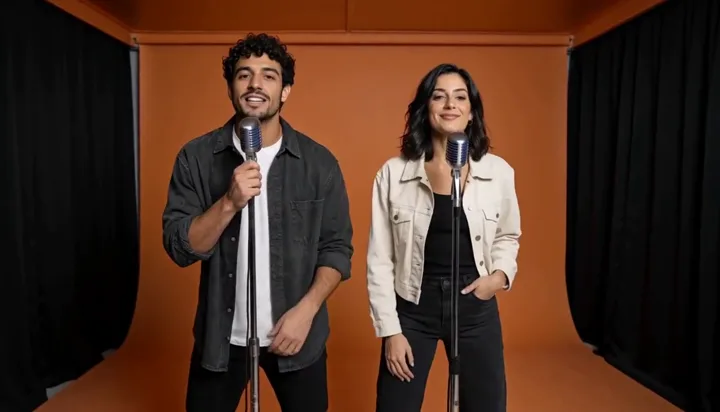
Product social ad
Turn a product benefit into a focused vertical ad.
Product photo + key benefitTurn product photos and ideas into short AI videos. Create product showcases, visual demos and ads, or bring an original story to life with sound.
One payment. No subscription. Credits valid for 365 days.
Eligible new verified accounts · Up to 3 video generations · 7 days · Network limits apply
H3 · P-Video · Seedance · Kling · Veo · Wan · Vidu · Runway
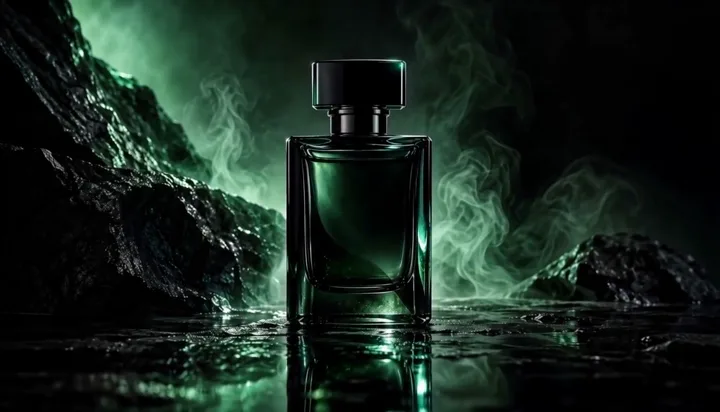
Use a product photo and your key benefits to plan a short video ad. Explore generated examples, build a commercial brief and review your credit cost before creating.
Try the AI ad generatorWatch real generated examples. Choose a skill to start creating.
Turn a product benefit into a focused vertical ad.
Product photo + key benefitReference motion, camera and pacing with your own subject.
Reference video + subject imageReveal materials and detail with restrained cinematic light.
Product reference imageBring a character, scene and exact dialogue together.
Character image + dialogueShape an idea into an opening, action and ending.
Character + setting + storyTell a warm story with consistent characters and style.
Character design + storyMatch camera movement and cuts to a reference track.
Music clip + image or videoTake a consistent character into the next scene.
Character image + next sceneWatch a full example from its cover. Use this skill to load its preset into the studio. Examples are AI-generated.
Watch the full examples, find a look you love, then make it your own.
Start with a clear product image or describe one action. Add the camera movement and sounds you want.
Pick the duration, resolution and 9:16 or 16:9 ratio. Check the credit cost before creating your demo or ad.
Review your generated clip, refine the next shot, and download the video from your private library.
Compare MiniMax H3, Seedance 2.5, Kling 3.0, Kling Omni, Google Veo 3.1 Fast, Wan 3.0, Vidu Q3 Pro, Runway Gen-4.5, P-Video and Veo 3.1 Lite. Explore their studio inputs, credit costs and practical shot guides.
MiniMax AI video generation on this page uses H3. Turn text, keyframes or reference media into short scenes, compare credit costs and learn how the connected H3 model differs from H3 Max.
View model guideCreate Seedance AI videos with the connected Seedance 2.5 model. Use text, images or reference media, then check duration, output settings and the live credit quote before generating.
View model guideGenerate Kling AI videos on InstantVid with Kling 3.0. Start with a text prompt or guide a transition with first-and-last images, then compare 720P and 1080P credit costs before creating.
View model guideUse Kling AI Omni for reference-led video creation with the connected Kling 3.0 Omni model. Compare image references, video motion guidance and editing workflows with standard Kling AI generation.
View model guideCreate Veo 3 videos with native dialogue, effects and ambience using Google Veo 3.1 Fast. Start with text, a keyframe or image references and compare the supported 4, 6 and 8-second settings.
View model guideExplore Wan AI video generation with Alibaba Wan 3.0. Animate a starting image or describe a scene in text, compare 480P, 720P and 1080P costs and plan a simple camera movement.
View model guideCreate Vidu AI videos with the connected Vidu Q3 Pro model. Use text, one starting image or first-and-last frames, and compare 540P, 720P and 1080P credit quotes.
View model guideUse Runway AI video generation through the connected Runway Gen-4.5 text-to-video model. Describe the subject, action and camera, then choose a 5 or 10-second 720P clip.
View model guideP-Video is a budget-friendly option for product animation, close-up characters and short social clips. This integration uses standard quality at 24 FPS with generated audio.
View model guideCreate Veo 3 Lite videos with native audio using Google Veo 3.1 Lite. Use text, a starting image or first-and-last frames; compare lower-cost 720P presets with 8-second 1080P output.
View model guideEligible new accounts receive 120 welcome credits after email verification or Google signup. H3 at 768P for 5 seconds costs 120 credits; Wan 3.0 at 480P for 5 seconds costs 39. Welcome credits last 7 days and can fund at most 3 video generations. A failed or confirmed canceled task returns its credits and trial use. Paid credits are unrestricted by this trial limit; higher-cost settings require a top-up. To prevent abuse, each network can claim trials for at most two accounts in 30 days, with one trial per email identity (including Gmail aliases).
An AI product video generator turns product photos or written scenes into short video clips. The Product Ad Studio lets you add a product image, key benefits and a visual style to create a product showcase or advertising shot.
Yes. Upload a product image and describe a simple demonstration, such as opening a package, rotating the product or showing it in use. These are AI-generated visual demos; exact interface tutorials and factual product claims still need your review.
Yes. The studio includes both text-to-video and image-to-video workflows. Upload a JPG, PNG, or WebP image to start.
Models that support native audio can generate dialogue, ambience and effects. Describe the sounds you want, and check the audio options available for your selected model and mode.
Prices in USD. Packs last 365 days; subscription credits expire each billing period. Annual credits are granted upfront. Failed or confirmed canceled tasks are refunded. Uncertain submissions retain the charge and are never automatically resubmitted.
Sign in, choose a model and settings, and review the credit estimate before generating. Completed videos are saved in your private video library, where you can play or download them. The gallery examples are free to watch.
InstantVid currently connects MiniMax H3, Seedance 2.5, Kling 3.0, Kling 3.0 Omni, Google Veo 3.1 Fast, Wan 3.0, Vidu Q3 Pro, Runway Gen-4.5, P-Video and Veo 3.1 Lite. Inputs, output settings and credit rates differ by model. H3 Max is a separate fal offering and has not been connected here.